Account & Users
Adding Payment Information
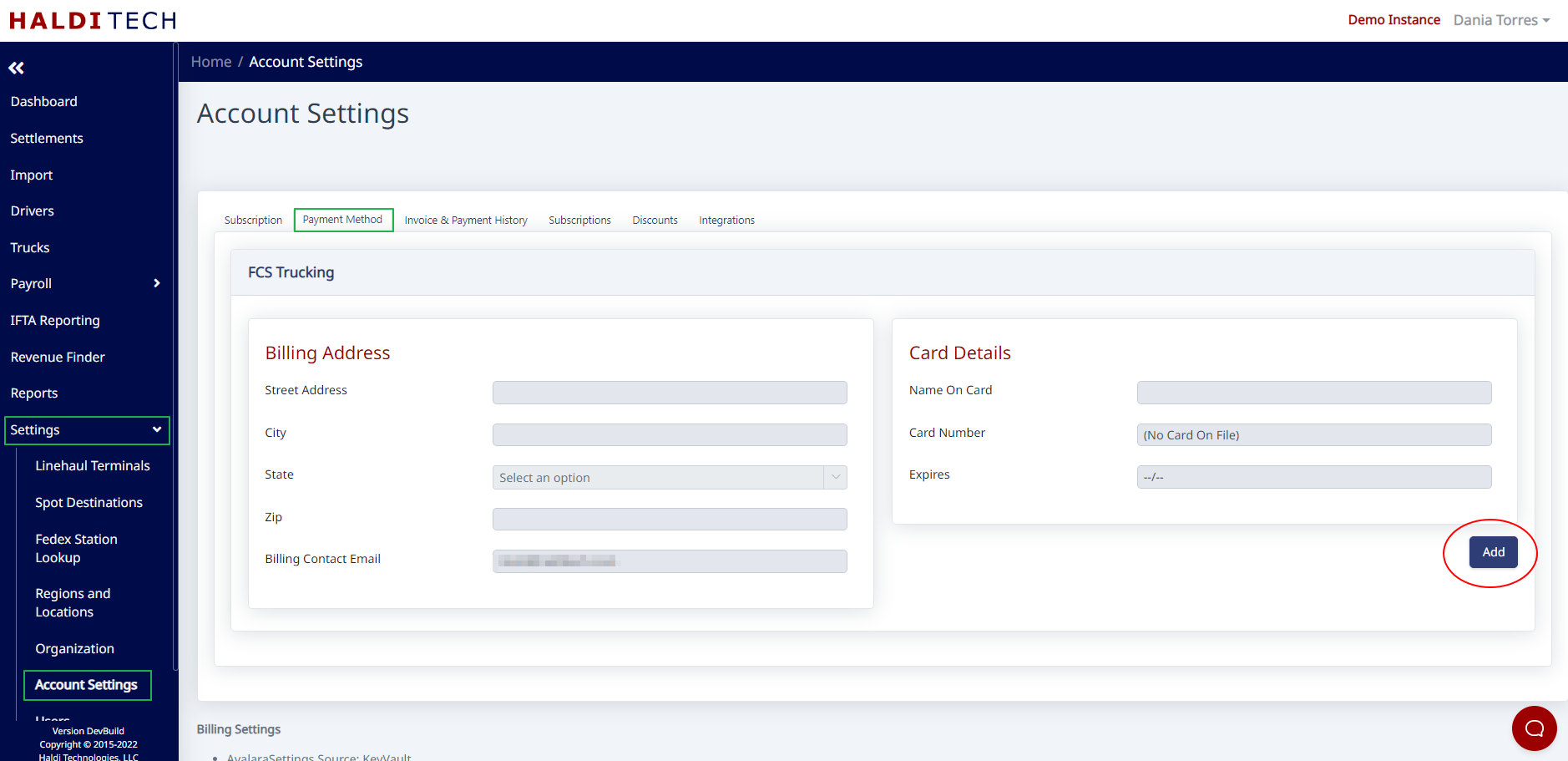
Add a payment method by entering billing address and card details under Account Settings.
Step 1. Open Account Settings
Click Settings >> Account Settings from the side menu.
Step 2. Add a payment method
From the Payment Method tab, click the Add button.
Step 3. Enter billing address and card details
Enter the billing address and card details.
Note: You won't be able to enter the billing address until AFTER you click Add.
Step 4. Save
Click the Save button.
Need help?
Email support@halditech.com or call us at (470) 594-2534.