Maintenance
How to create a service ticket in Maintenance
Create a service ticket from the Maintenance Matrix by adding a Service Item and filling in the required details.
Creating Service Tickets
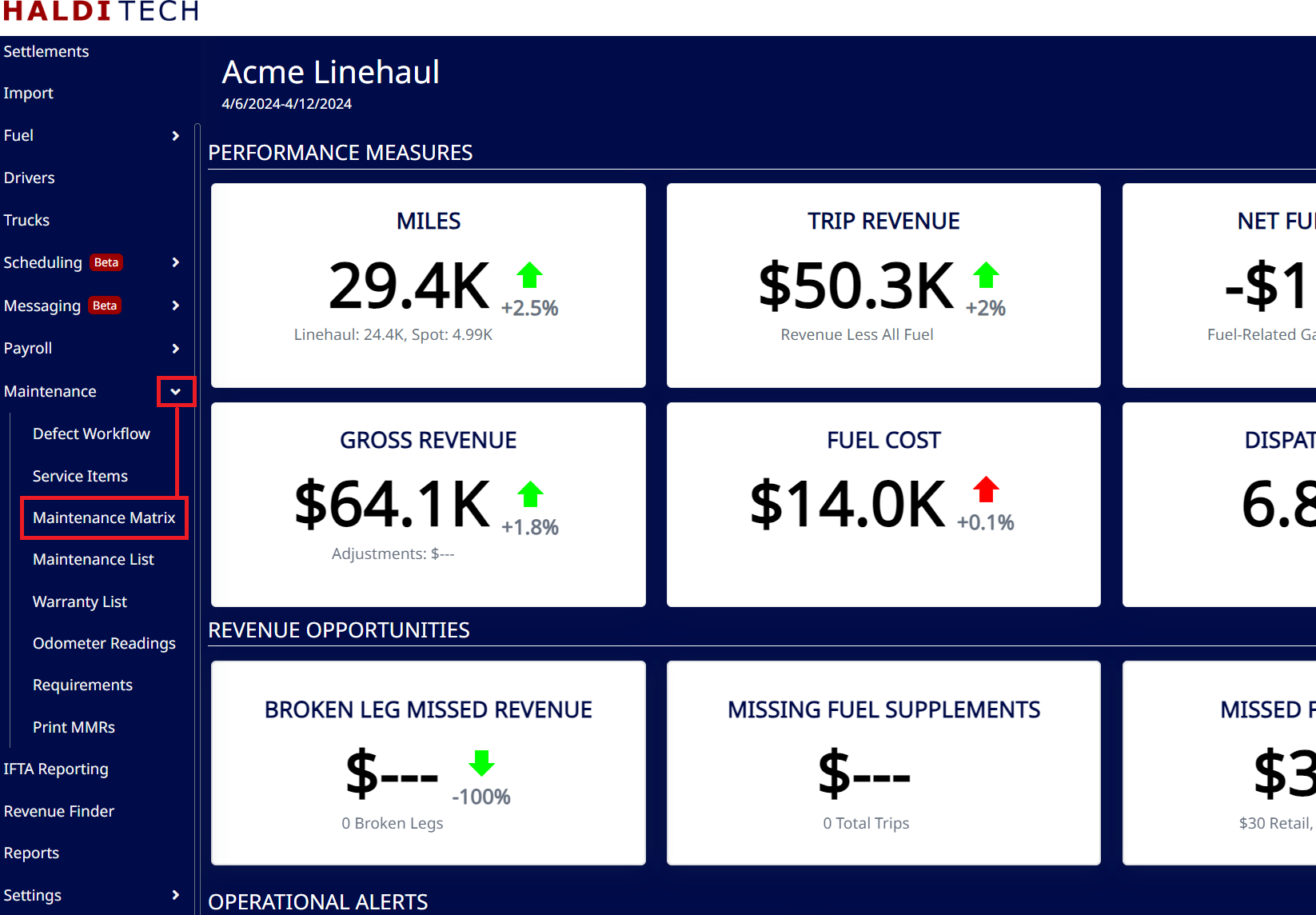
In your HaldiTech software, select Maintenance Matrix (see below).
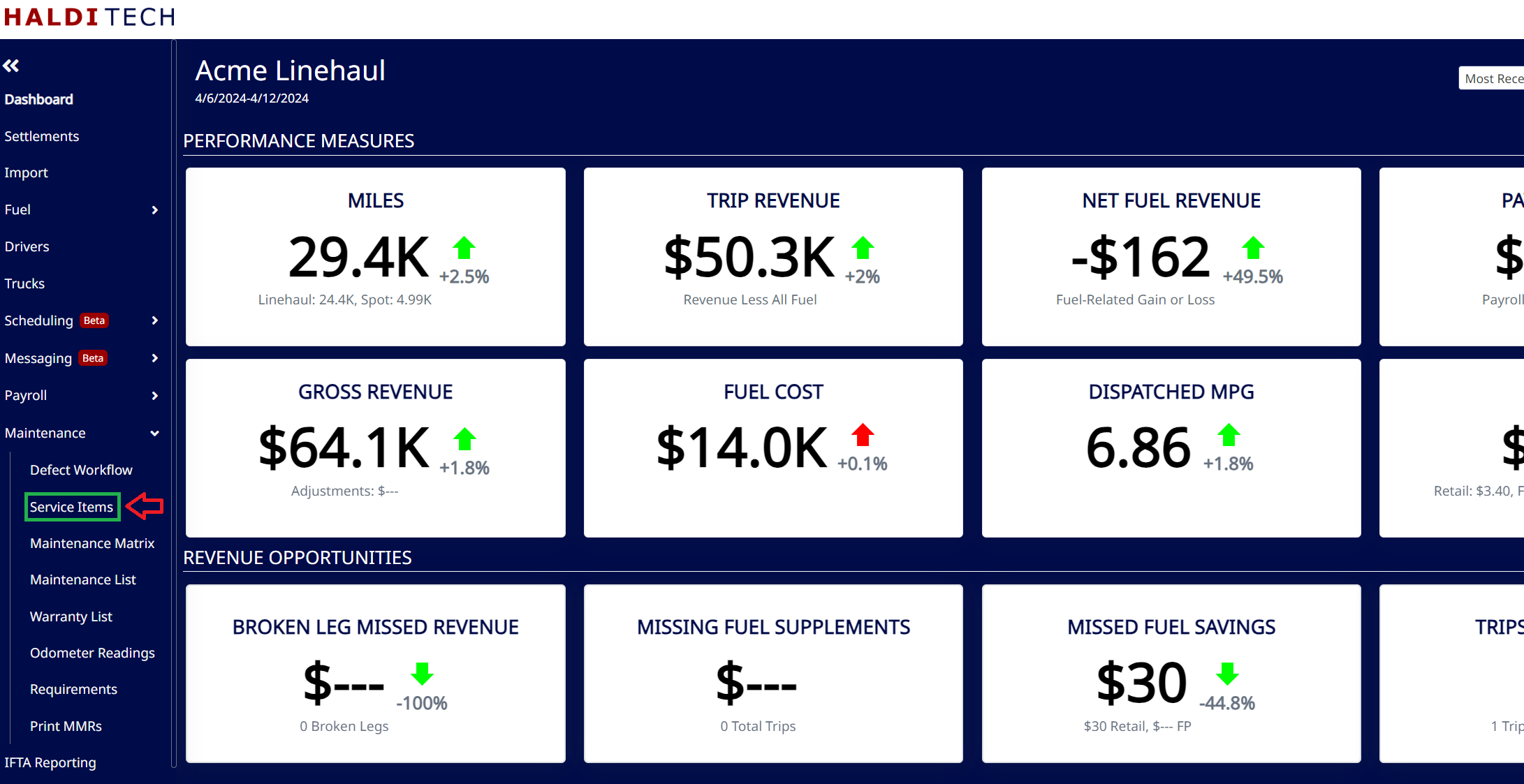
Select the "Service Items" (example below).
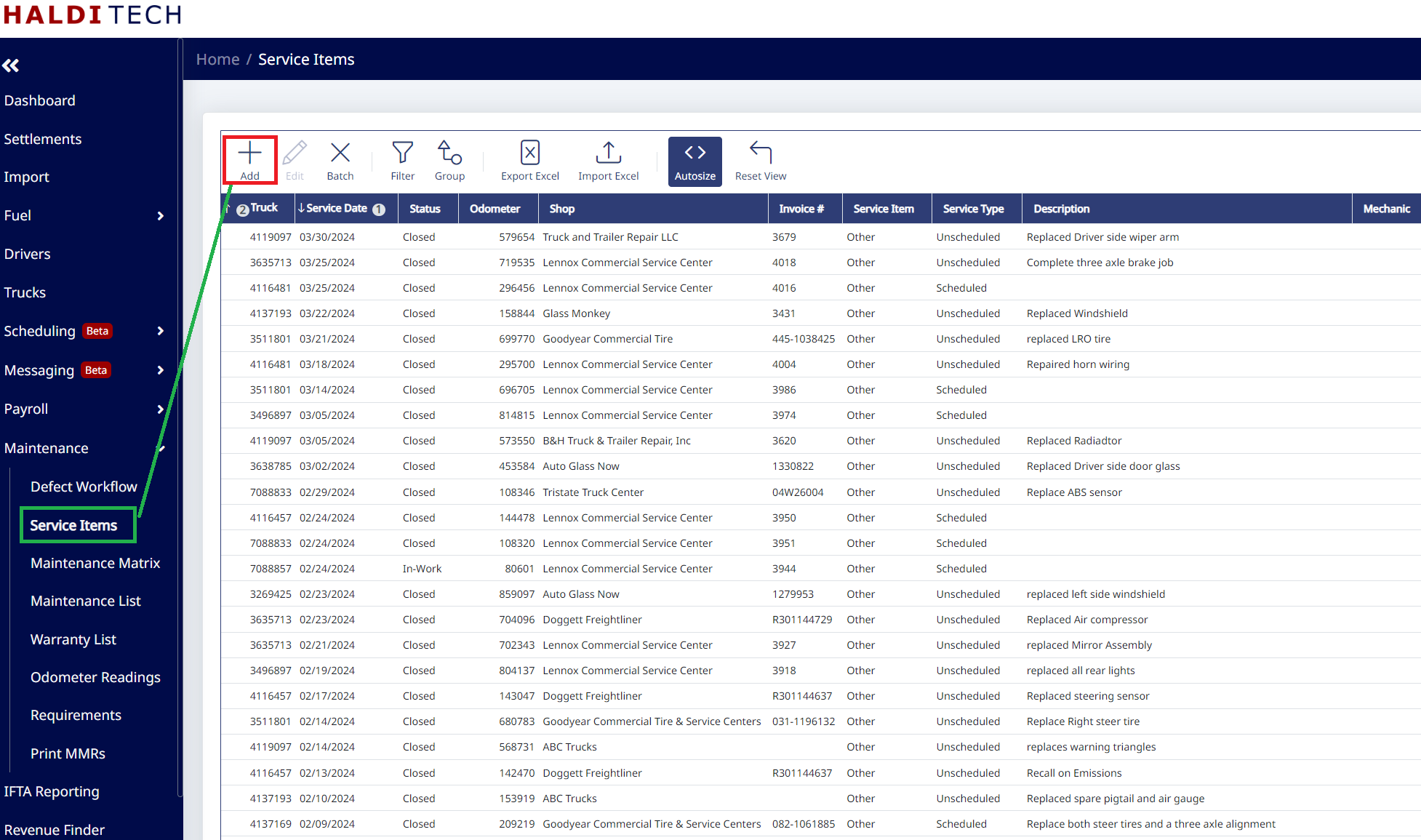
Select the "Add icon" (shown below).
On the next screen, fill out the information highlighted in the example below and then click save (see below).
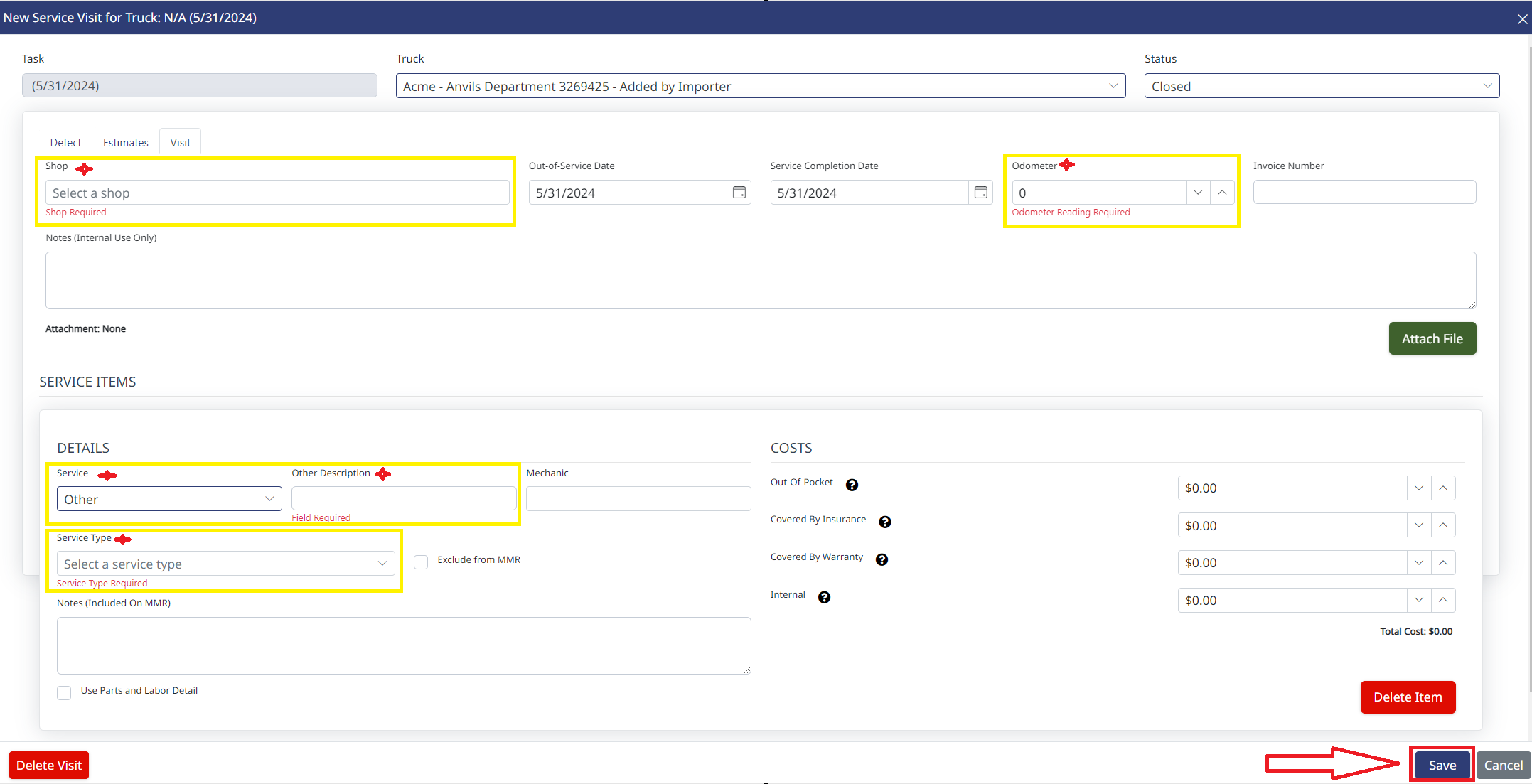
Note: FedEx requires a description for the service.
Need help?
Email support@halditech.com or call us at (470) 594-2534.