Account & Users
How To Set Up User Permissions
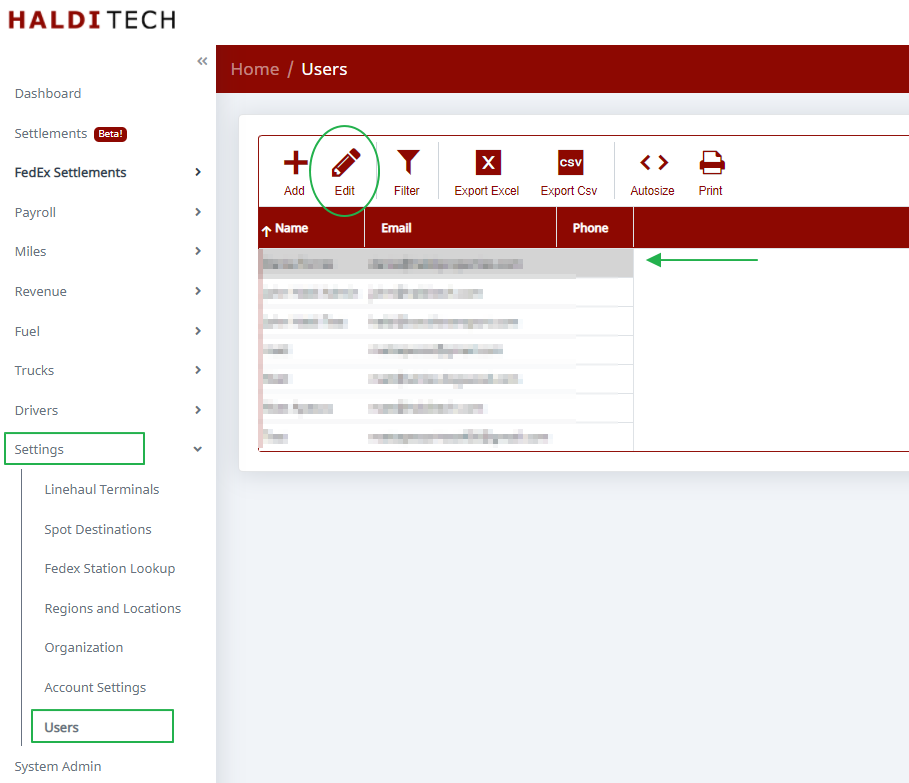
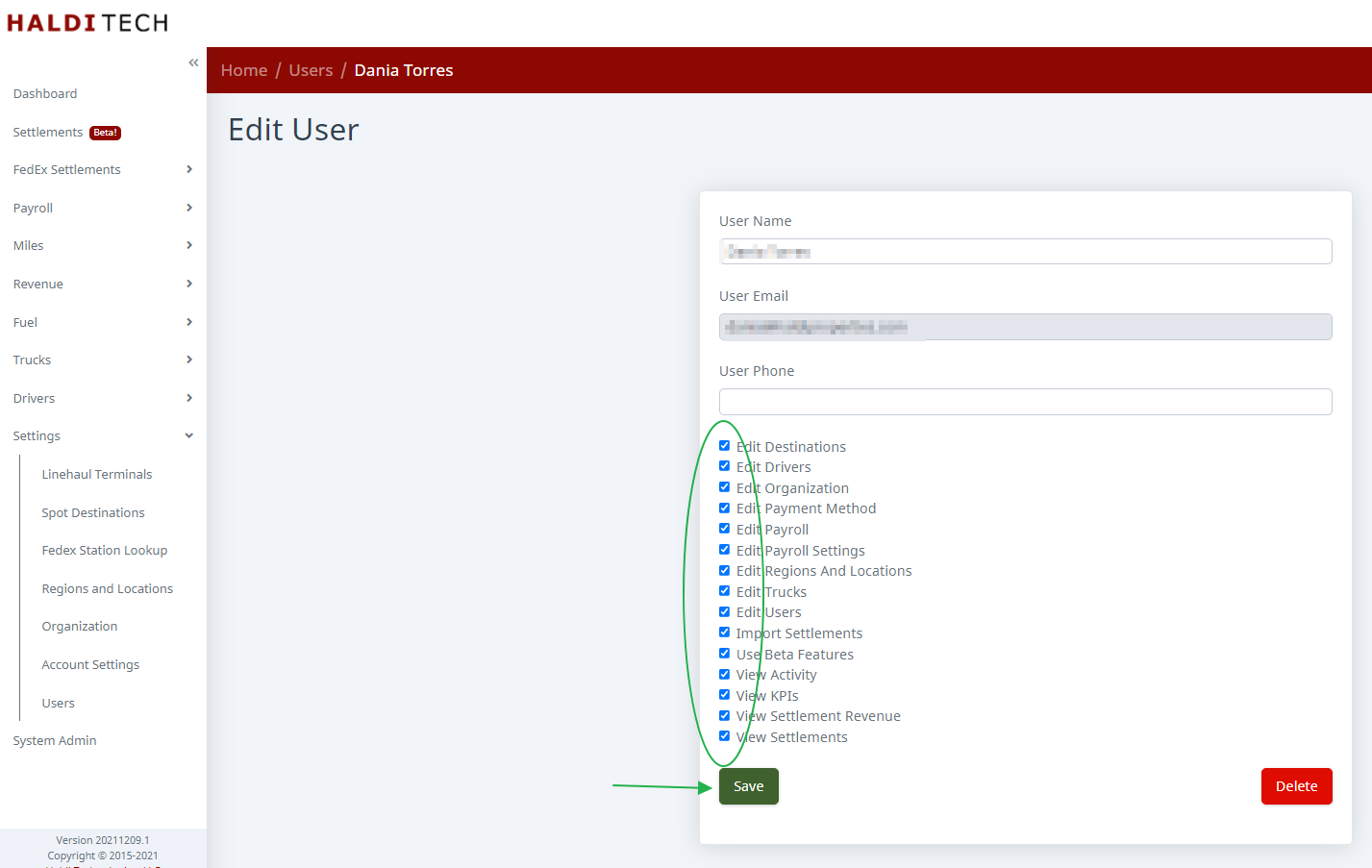
Edit a user's permissions from Settings > Users by selecting the permissions to set and saving.
Go to Settings >> Users.
Select the user you want to edit permissions for. Click on Edit.
Select the permissions you want to set for that user and click save.
Need help?
Email support@halditech.com or call us at (470) 594-2534.