Getting Started
How to Use the Reset View Button
Restore a grid to its default view when rows or data appear to be missing.
When viewing any grid, if you are missing rows or data, it's likely because the software remembered your configuration from the last time you used the system.
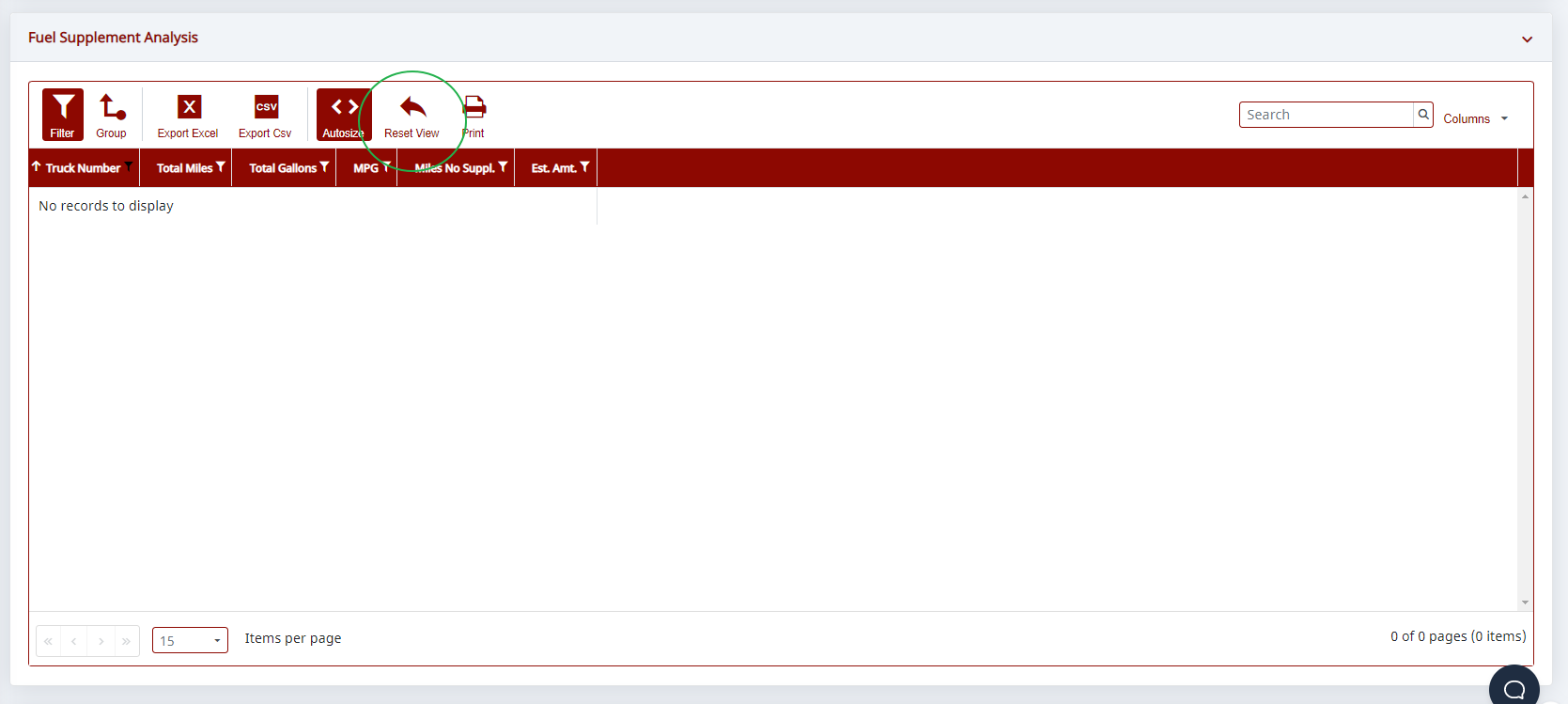
To fix this, push the Reset View button. It will restore the grid to the default view (i.e., clear all filters, searches, hide/reveal columns, and restore default column widths).
Here's a sample screen showing missing data.
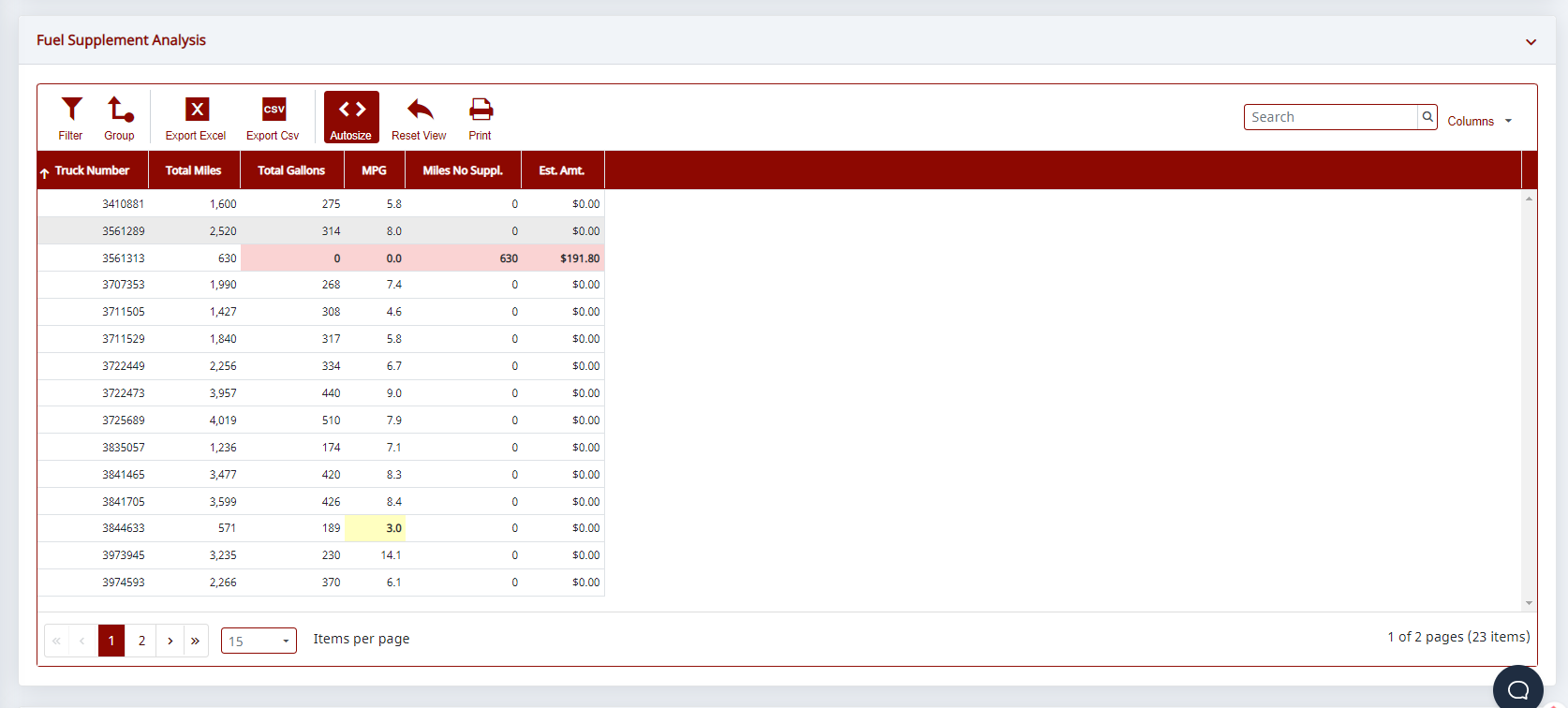
Here's the same grid once the view has been reset.
Need help?
Email support@halditech.com or call us at (470) 594-2534.