Settlements
How to View Net Revenue After Fuel
How to open an individual FedEx settlement breakdown and turn on the Linehaul Amount column.
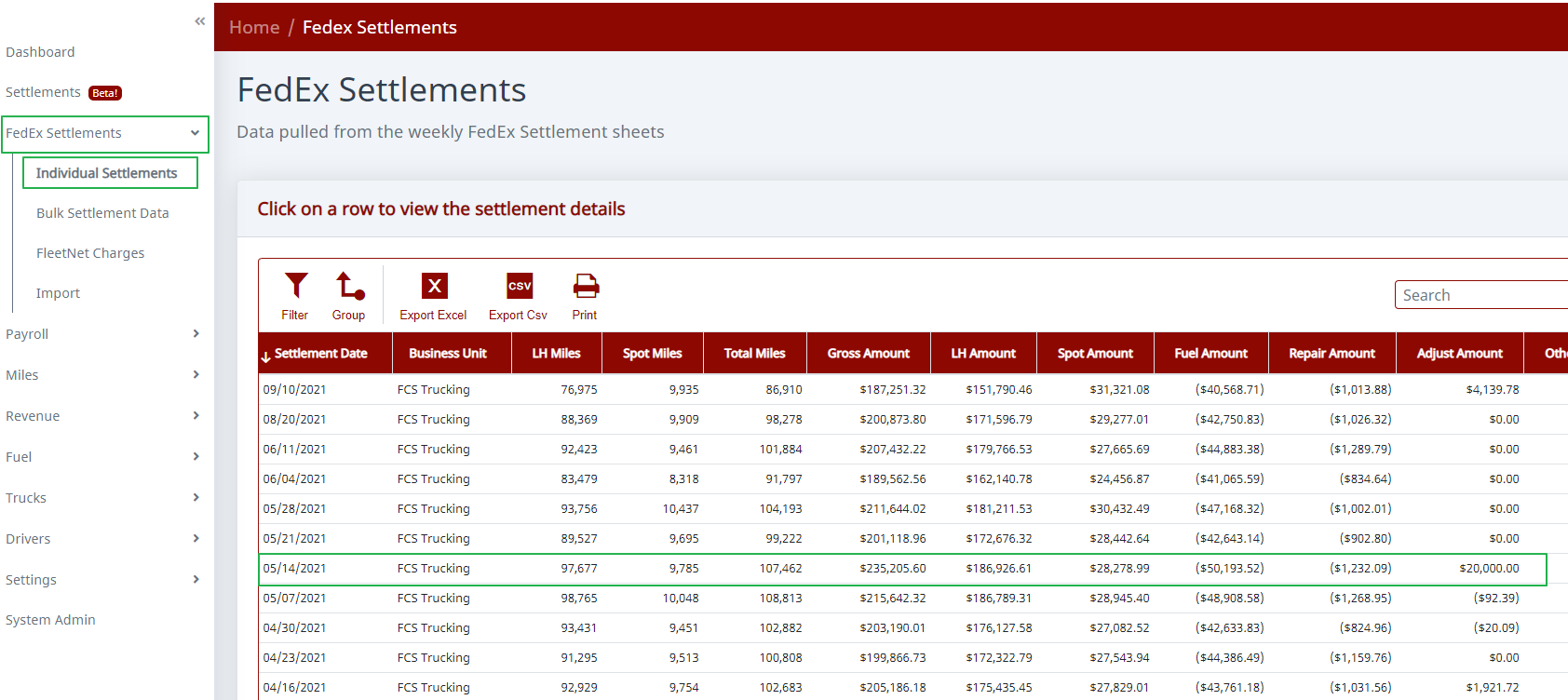
Step 1. Open an individual settlement.
Go to FedEx Settlements >> Individual Settlements. Click on the settlement you want to work on. The settlement will expand and you will see a breakdown of that settlement.
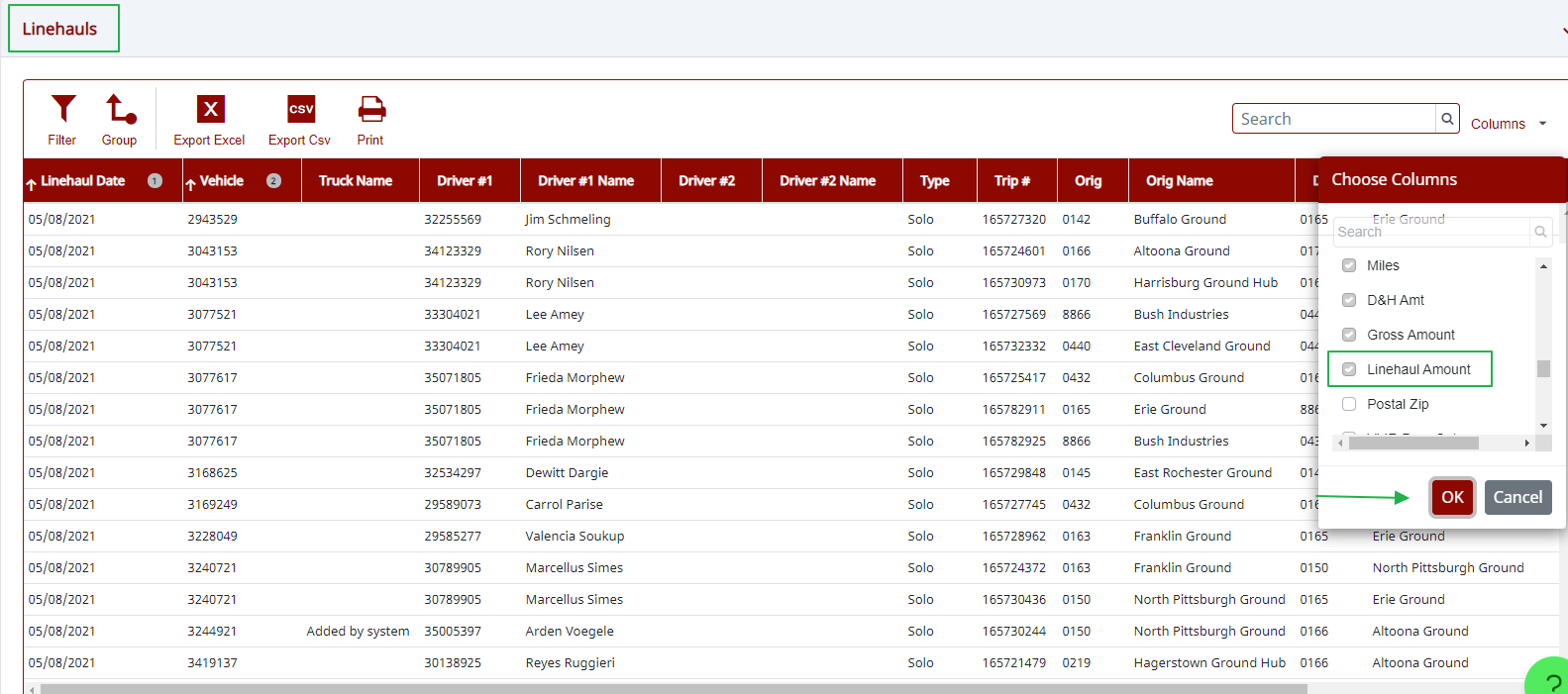
Step 2. Turn on the Linehaul Amount column.
Scroll down to Linehaul, then turn on the "Linehaul Amount" column.
Need help?
Email support@halditech.com or call us at (470) 594-2534.